May 10, 2026 · 4 min read
Text us your jewelry. We'll write the listing.
You’re standing at your dresser holding a pair of earrings you haven’t worn in three years. They’re nice. Probably worth something. You’d sell them if listing them didn’t mean wrestling a phone tripod, writing a description, guessing at the metal, and pricing them without knowing if you’re leaving money on the table.
So they go back in the drawer.
This is the friction we built text-to-list to kill. Snap a few photos with your phone, text them to one number, and we’ll hand back a draft listing ready to publish.
How it works
Open your messages app. Snap a few photos of the piece. Text them to the StillSparkly number listed on your Text-to-List settings page. That’s the whole thing.
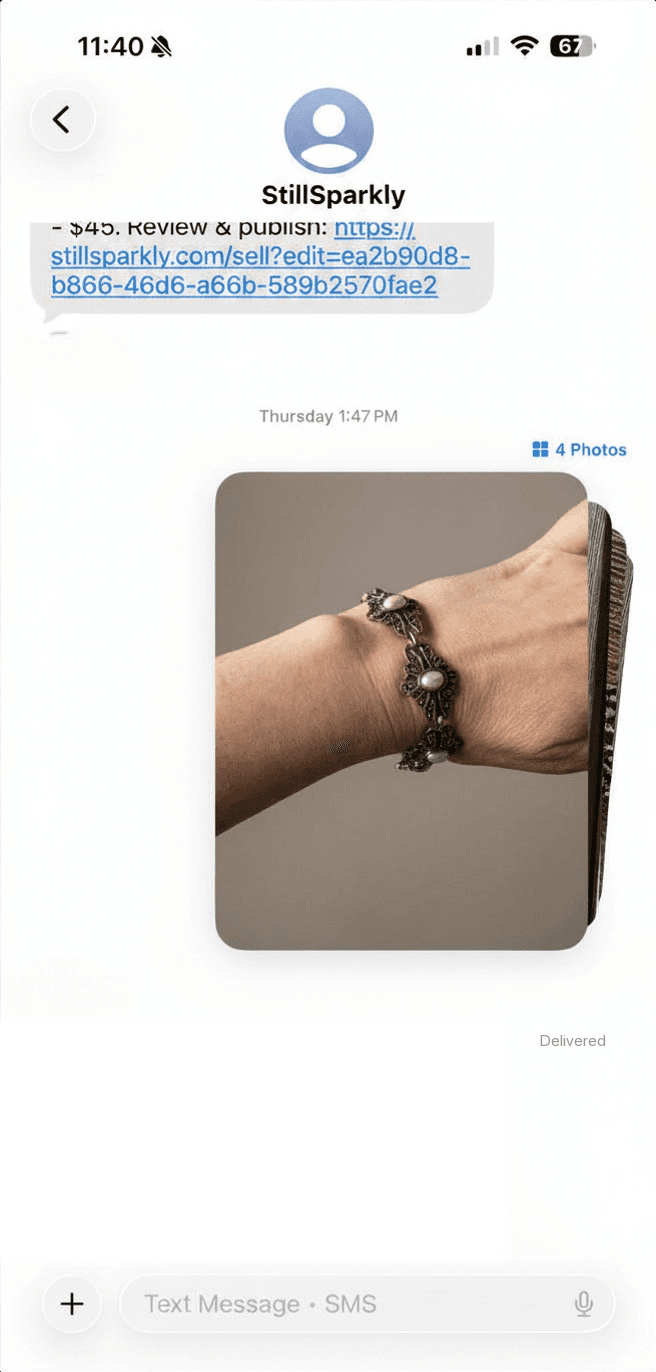
Behind the scenes, StillSparkly looks at your photos, works out what it’s seeing (metal, stones, era, style, condition, brand if there’s a hallmark), and creates a draft listing under your account. A few seconds later, you get a text back with a link. Tap it, give the draft a once-over, adjust the price if you want, and publish.
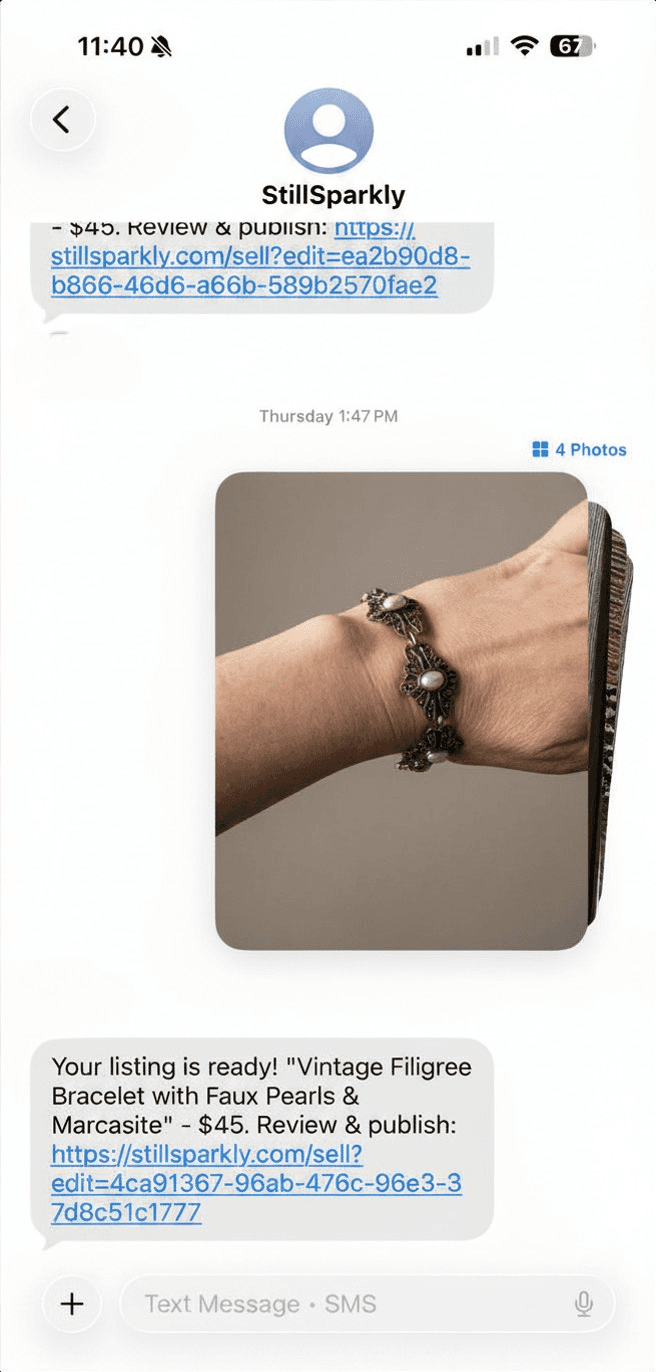
You went from “I should sell these someday” to “this is live on StillSparkly” without ever wrestling a listing form.
What gets filled in for you
Quite a lot, actually. We take a swing at the title and category, metal type and finish, stones (shapes, settings, the works), condition, era, style, and brand when there’s a readable hallmark or signature. We also suggest a starting price with a range, so you have a sense of what’s reasonable before you decide what to charge.
You don’t have to take any of it as gospel. The whole point of the draft step is that you can fix anything that’s off before it goes live. We do the boring 80%; you handle the judgment calls.
Getting set up (one time, takes about 90 seconds)
Before your first text-to-list works, the system needs your phone number on file and your okay to send you SMS. Both happen on one screen.
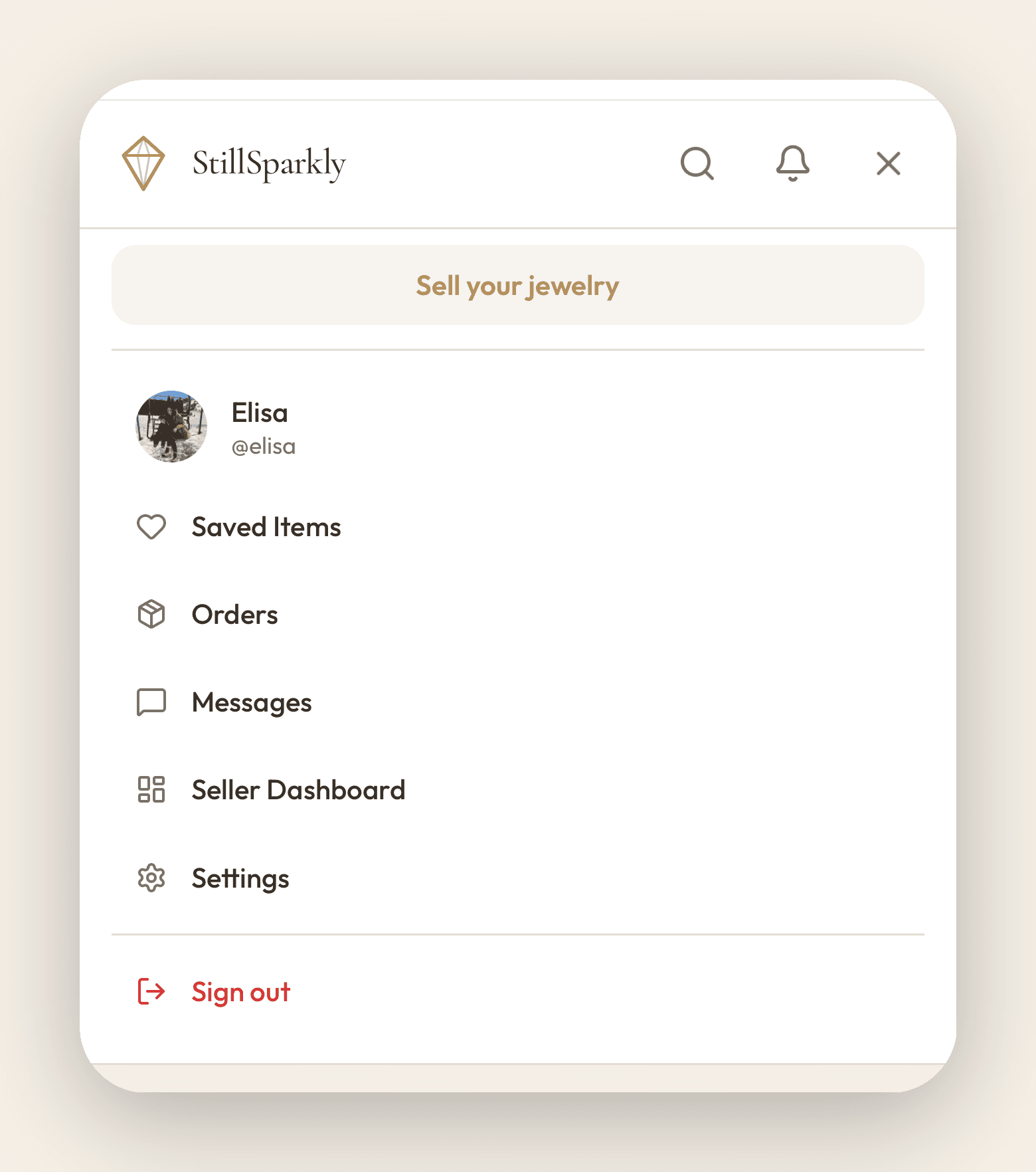
1. Open the menu and head to Settings. Tap the menu icon in the top right, then Settings.
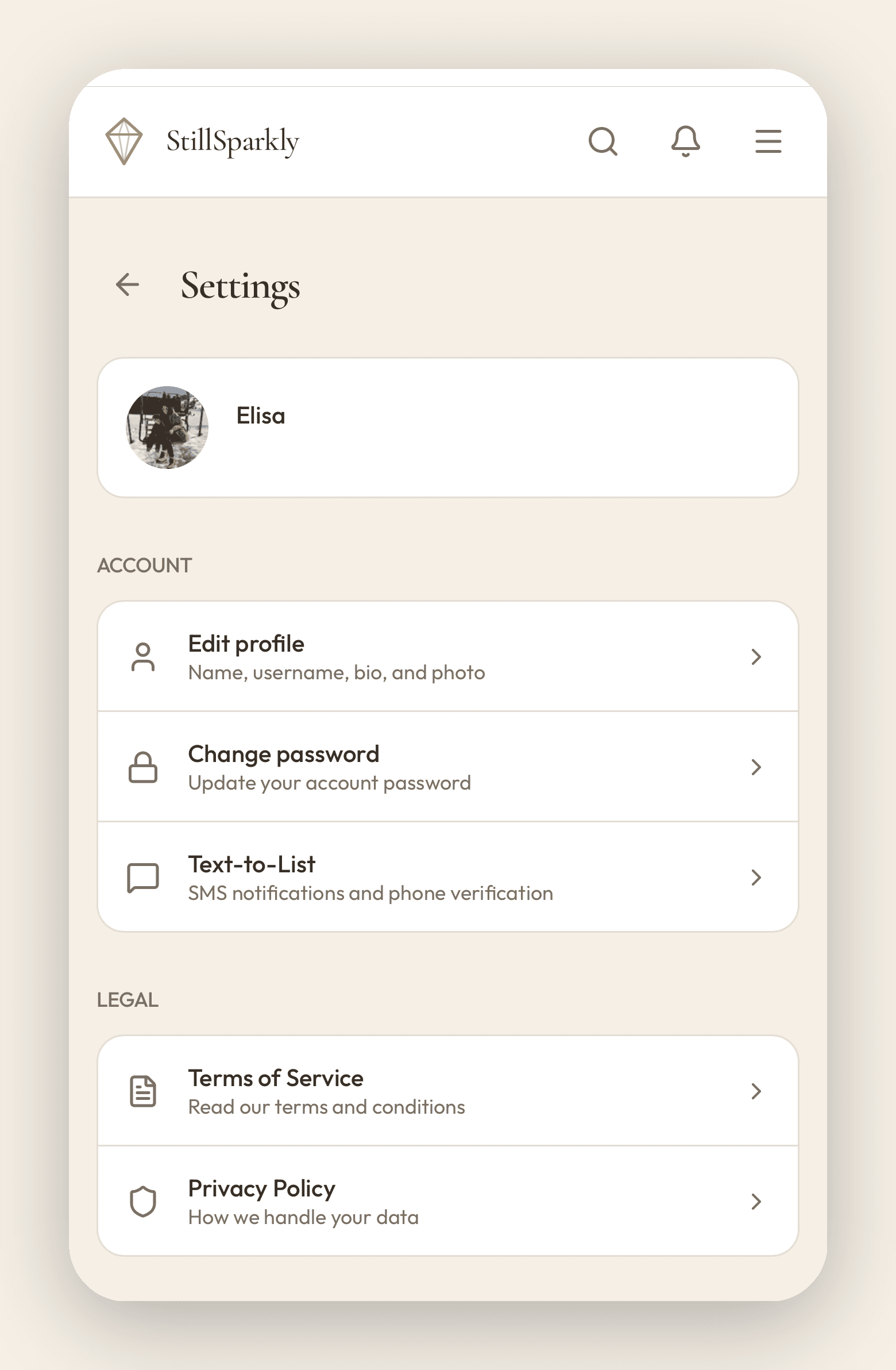
2. Tap Text-to-List. It lives under the Account section of your settings page. (Account is the section header, not a clickable menu. Text-to-List is the row right under it.)
3. Add your phone, agree to SMS, and save. On the Text-to-List page you’ll see a phone number field, a checkbox where you agree to receive transactional SMS from StillSparkly, and a Save button. Fill in the number, check the box, hit Save changes. A verification panel will appear after you save. Tap “Send verification code,” wait for the text, and type in the six digits.
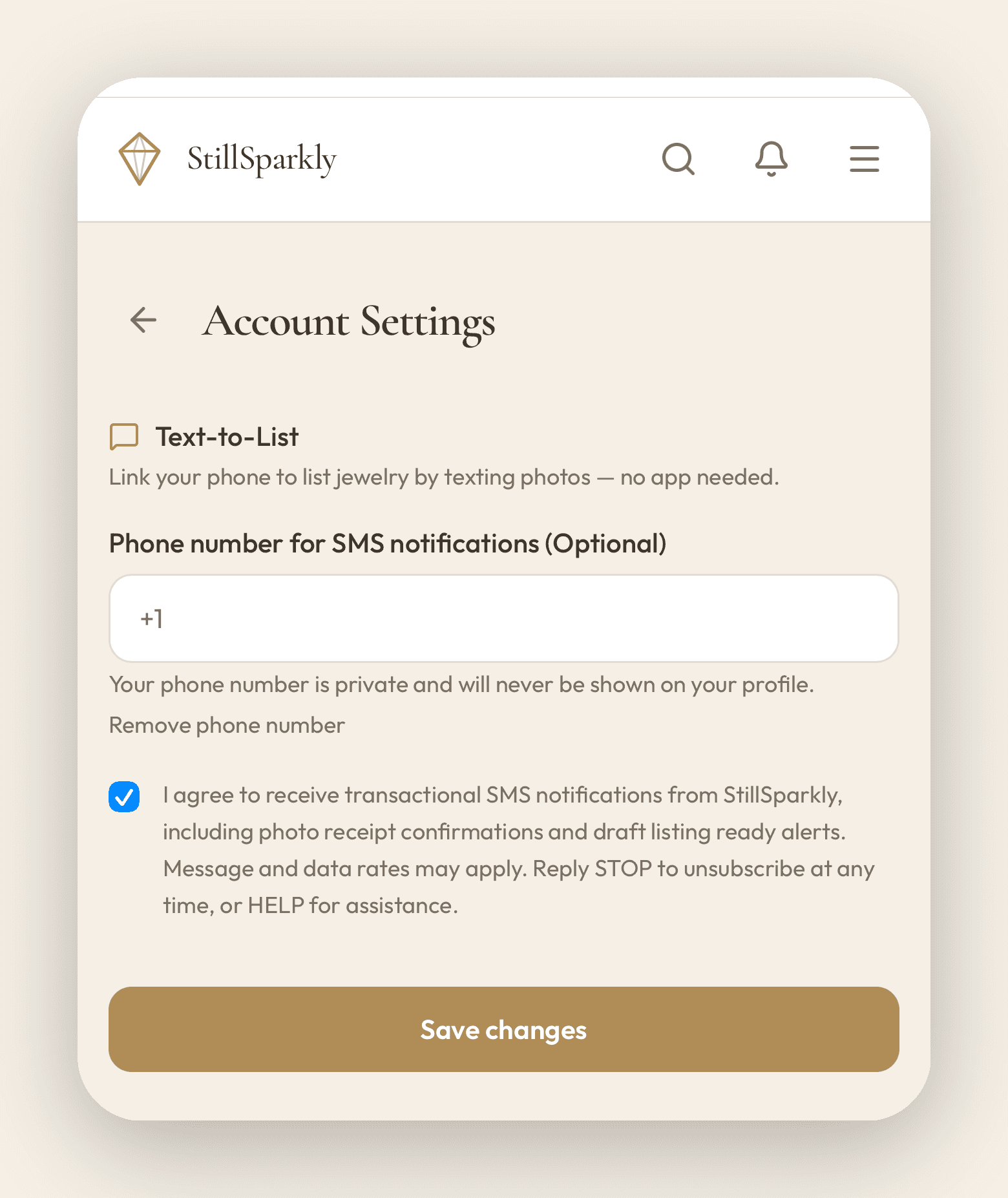
That’s it. Forever. Save the number under StillSparkly in your contacts, then text it whenever you’ve got a piece to list (day, night, the moment you decide to clear out a drawer). Reply STOP if you ever want out, or HELP for help.
A few practical things
Photos matter more than captions. You don’t have to send any text at all (though you can, if there’s context we won’t catch from the photos, like that it came with the original box or that it’s been resized). What actually helps the draft: clear lighting, a plain background, and a few angles. Front, back, and a close-up of any stamps or hallmarks is the sweet spot. For the full rundown (including the lighting trick that beats a lightbox), here’s how to photograph jewelry to actually sell it.
Send up to 6 photos per item. More than that and the system grabs the first six. One item per text thread keeps things tidy.
Quick answers to questions sellers ask
Is my phone number kept private? Yes. We never display it on your profile or share it with buyers. It’s used only to receive your texts and send back the draft link.
What if the draft gets the metal or stones wrong? That’s exactly what the draft step is for. Edit anything that looks off before you publish (title, type, condition, price, the description itself). Nothing goes live until you say so.
Does text-to-list cost anything extra? Nope. Standard messaging rates from your carrier (the same as texting a friend), but StillSparkly doesn’t charge for it. It’s just another way to list, alongside the website and guided photo capture at stillsparkly.com/sell.
What kinds of jewelry work? Anything you’d find on the marketplace: fine, costume, vintage, contemporary, signed, unsigned. Earrings, rings, necklaces, bracelets, brooches, sets. The draft is more accurate on pieces with clear hallmarks or recognizable design, but we’ll attempt every category.
Why we built this
Most resale platforms are designed for the most patient version of you. The you who has 30 minutes, a clean surface, a window with good light, and enough energy left to research what your earrings are actually worth.
Most jewelry doesn’t get sold by that person. It gets sold (or, more often, doesn’t) by the version of you who’s tired, busy, and would happily trade a little price precision for not having to spend a Sunday afternoon on it.
Text-to-list is for that version of you. Snap, send, glance at the draft, publish. Go back to your evening.
Got a piece you’ve been meaning to list? Start a listing. Still figuring out which platform is right for you? Compare jewelry resale platforms here.
Have jewelry to sell?
Take a few photos and we draft the title, description, and a suggested price. You hit publish.
Start a listing