June 9, 2026
Made by hand? Now you can say so.
Something that bugs me about shopping for jewelry online: you can spend twenty minutes admiring a pair of earrings, fall a little in love, and still have no idea whether a person made them or a machine stamped out ten thousand of them last Tuesday. The photos and the listing look about the same either way, and the story (if there even is one) gets buried.
So we did something about it. StillSparkly now has a Handmade toggle. If you made the piece yourself, you flip it on, and your listing gets a Handmade badge that travels with it everywhere it goes.
For the makers
StillSparkly started out focused on resale. But one kind of seller kept showing up: the person who soldered the necklace together at their kitchen table at 11pm, with a bench full of pliers and a Pinterest board of wire-wrapping techniques.
And honestly, those sellers were getting lost. When everything in a feed looks like resale, the handmade piece reads like just another listing, and the hours of actual human work behind it disappear. That never sat right with us. Handmade is not the same as “found in a drawer,” and the price, the story, and the pride behind it are all different too.
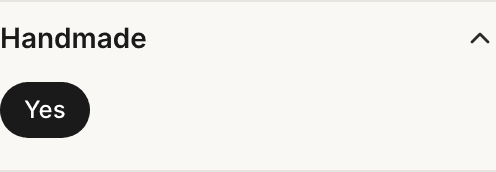
With the toggle on, your work is marked as yours, shoppers see the badge, and search can surface it. The badge says “a person made this” so you don’t have to fight to be heard in your own listing.
For the shoppers
If you’ve ever wanted to buy handmade specifically (to support a real maker, to get something nobody else will be wearing, to put your money toward a person instead of a factory) you used to have to guess, squint at the photos, or message the seller and hope.
Now the Handmade badge tells you up front. You can spot the hand-forged ring in a sea of listings, and you can shop with the confidence that the “handmade” you’re paying for is actually handmade, because the person who made it is the one who flipped the switch.
How to turn it on
It takes about three seconds. When you’re creating or editing a listing, you’ll see a Handmade toggle. If you made the piece yourself (from materials, with your own two hands and probably a few minor burns), flip it on and save. Your badge shows up immediately.
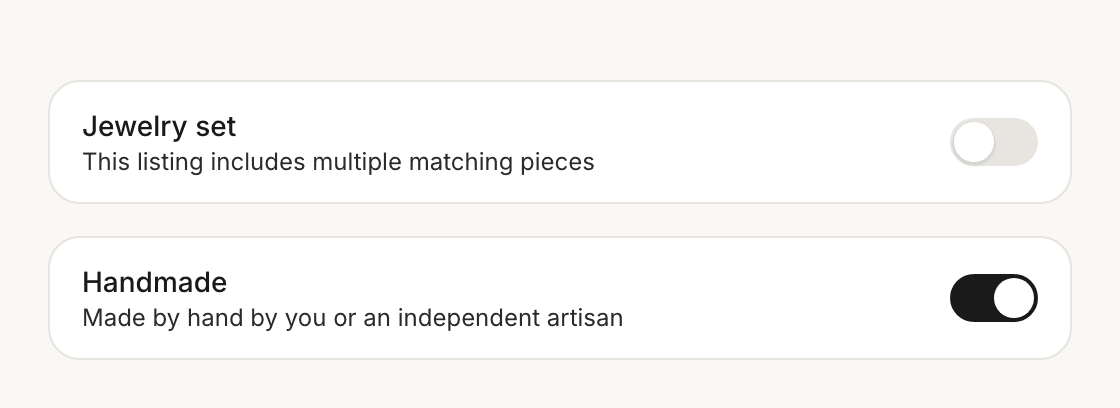
The badge is for pieces you made yourself, as opposed to ones you bought, found, or curated (all of which are great, and all of which belong on StillSparkly, just under their own listings). Keeping it to pieces you made is what makes it useful, because when a shopper sees Handmade, they know exactly what it means.
Why we actually built this
Because the maker is the most interesting part of a handmade piece, and most platforms flatten that into nothing. They treat a one-of-a-kind pendant and a mass-produced lookalike as the same row in the same grid, and the person who spent an afternoon making the real one gets the same six lines of description as everyone else.
We’d rather put the maker back in the picture. A badge is a small start, sure, but I think the people who make things by hand deserve to be found by the shoppers who are looking for exactly that.
Make something? Go flip the toggle on your next listing. Want to shop the makers? Keep an eye out for the Handmade badge across the marketplace.
Have jewelry to sell?
Take a few photos and we draft the title, description, and a suggested price. You hit publish.
Start a listing